Posts

Some good free Blogger template archives

Image
If you are looking for some free good Blogger template check one of these archives. Some are very famous while others are a little less but they are equally good...

Customize standard Blogger template: remove the Navbar

Image
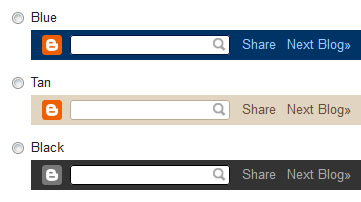
Navbar is the top bar showed in every standard Blogger template. There are a lot of pages suggesting how to remove it but the majority are focused to the modify of the template code. However there are other ways a little less hazardous to get the same result...

How to add custom CSS tags to standard Blogger templates

Image
CSS are special tags allowing to improve the web page appearance. Standard Blogger templates make a large use of CSS tags as any other web site right now. However inside the Blogger template designer section is there the possibility to add custom CSS tags. This is a basic explanation about how to make this operation.

Remove a locked widget from blogger layout panel

Image
Using non official Blogger XML template could be happen very frequently you have some widget locked in the layout panel. Usually a widget can be moved in all the template available positions or removed definitively. A locked widget doesn't allow any of these actions. It is in a fixed position ad you can not remove it. However there is an easy way for switch the widget from locked to unlocked. Let's go to see how is possible.

Remove a corrupted widget from blogger layout panel

Image
Trying to load a new XML template for your blog could happen quite frequently that some widget you already have included or present in the template you just loaded become damaged with the result you can not remove it anymore. The practical effect of this damage is a blank page inside the window opened by click over the "edit" link of the widget itself. Blank page mean that no buttons are showed than is not possible to click over the "Remove" button for remove the current widget. Looking around I found a small trick that can help to get out of this unfortunate situation.

Bypass email and SMS account verification

Image
Is a common use in a lot of web site, like forums and similar, to ask for a valid email address during registration phase. The way how is possible to verify the email you inserted is a valid address is well known. The site send to the email address you provided an automatic message containing a link to visit for activate the account just registered. If no valid email is provided you can not activate the account. Some other big networks of Internet, like Facebook or Google, recently started to ask for a valid cell phone number to send an SMS containing a code for unlock or verify the account. If you want to avoid to hand in your personal info is there some tricks that, if you are lucky, can help you to keep your life a little more private.

Multiple feedburner email subscriptions in one form

Image
Some blogs or web sites can have more than one feed sources mainly for allow visitors to stay informed only in specific arguments. Feedburner service is the best way for accomplish this goal since is easy to configure and offer some additional features very useful to have in the site. One of the most used feature is the email subscription service. This feature must be manually activated in the feedburner control panel and allow to create a sort of newsletter sent to all subscribers when a new feed is created.